Wayland Ubuntu 22.04

Contents
Introduction
Turn Off Wayland and return to X11
Related Articles

Introduction

Wayland became the default graphics server in Ubuntu 22.04. The previous experiment (in the 17th Ubuntu) ended unsuccessfully.

Since I don't know how to swap screens in Wayland, so I turn it off and go to Xorg, where everything is done quite fine by xrandr

Turn Off Wayland in Ubuntu 22.04

To disable Wayland, log out and log back in, but by selecting Ubuntu on Xorg

Log off → Press SPACE or click user icon.
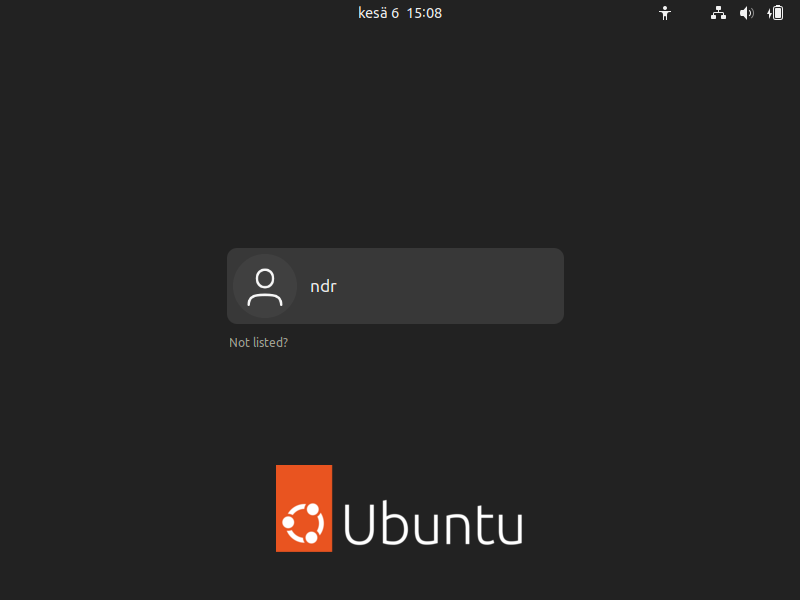
Ubuntu 22.04 disabling Wayland immediately after installing the image from the site www.aredel.com
Ubuntu 22.04
www.aredel.com

Click on the gear in the lower right corner
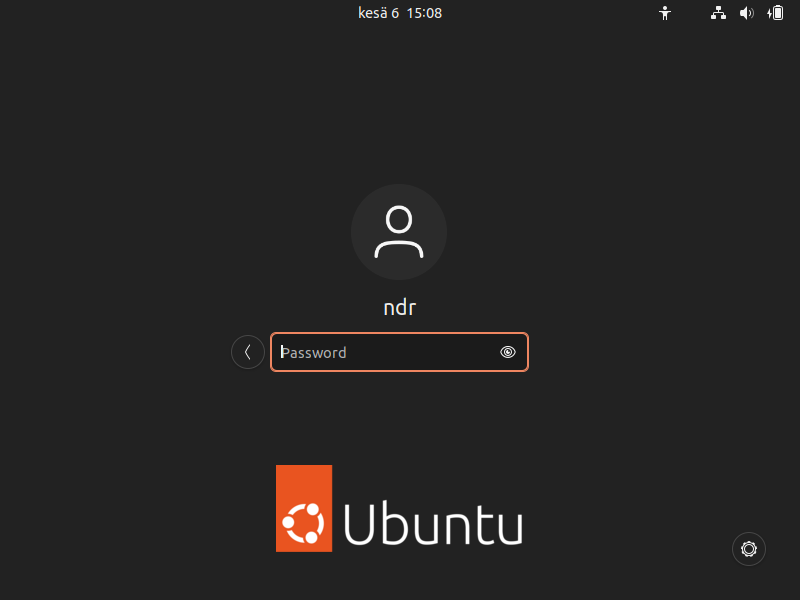
Ubuntu 22.04 disabling Wayland immediately after installing Ubuntu 22.04 image from the website www.aredel.com
Ubuntu 22.04
www.aredel.com

Select Ubuntu on Xorg

Ubuntu 22.04 disabling Wayland immediately after installing Ubuntu 22.04 image from the website www.aredel.com
Ubuntu 22.04
www.aredel.com

Login

Ubuntu 22.04 disabling Wayland immediately after installing Ubuntu 22.04 image from the website www.aredel.com
Ubuntu 22.04
www.aredel.com

Article author: Andrei Olegovich

Related articles
aptitude in Ubuntu
Install AWS CLI in Ubuntu
Date and Time in Ubuntu
Ubuntu Errors
Install Ubuntu
Ubuntu Linux machine-id
Mount Disks and USB Drives in Ubuntu
Network Configuration in Ubuntu
Install Nginx in Ubuntu
Boot Ubuntu in Recovery Mode
Remove Old Kernels in Ubuntu
Two Users with the Same Name in Ubuntu
SCP: Copy Files in Linux
SSH in Ubuntu
Ubuntu Linux ulimit
VNC in Ubuntu
Wayland in Ubuntu 22.04
X Window System in Ubuntu
xclip in Ubuntu
Arrange Monitors in Ubuntu: xrandr
XRDP Remote Desktop in Ubuntu
Remote Desktop in Ubuntu
Check X Window System Type in Ubuntu
Grep
Banner image

Search this site

Subscribe to Telegram channel @aofeed to follow new articles and updates to old ones

Go to channel

@aofeed

Ask a question in the Telegram group

@aofeedchat

Contacts and cooperation:
I recommend our hosting beget.com
Write to info@aredel.com if you:
1. Want to write an article for our site or translate an article into your native language.
2. Want to place thematically relevant ads on the site.
3. Ads on my site pass maximum censorship. If you see an ad block unsuitable for school-age children, shocking or misleading - please contact us by e-mail
4. Found a mistake, inaccuracy, bug, etc. on the site. ... .......
5. Articles can be shared on social media by clicking a network icon: