Firewall Windows
Introduction
This article is about a firewall. Windows firewall Linux read here
How to prevent a computer from accessing a certain IP
The algorithm is:
- Find out the IP of this site
- Block in Windows Firewall
- Check.
How to find out the IP site
To find out the IP we press
Win + R
write
cmd

The console will open, we will write in it.
ping site_name

If you need to know your IP address, you can do it.
here
Let's move on to the next step.
How to Configure Windows Firewall
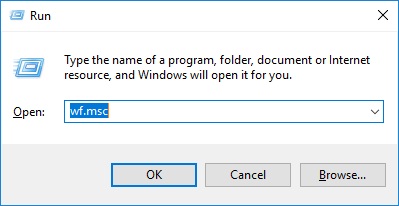
Windows + R
then write
WF.msc
To launch the Firewall
www.aredel.com
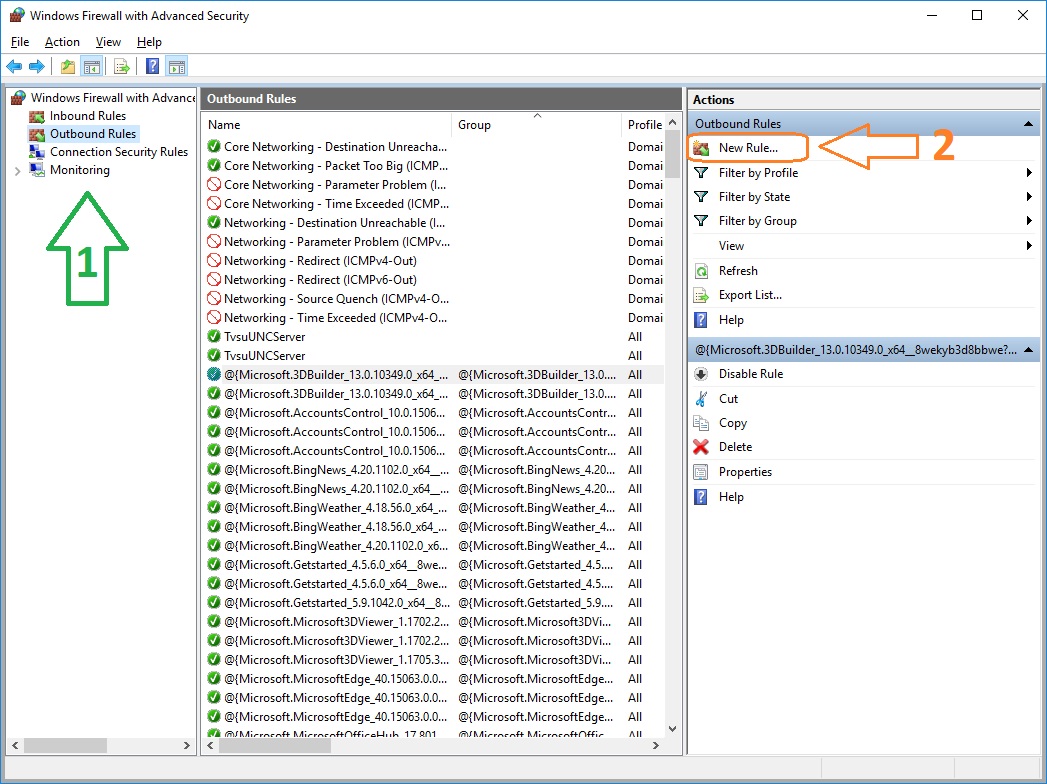
Choose. Outbound Rules press on New Rule Right in the Actions section.
www.aredel.com
Choose. Custom Rule and press on Next

www.aredel.com
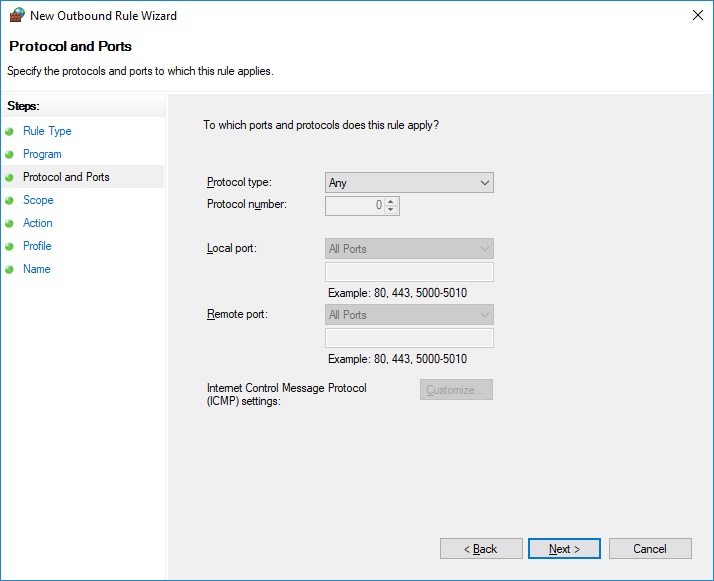
Next

www.aredel.com
Next
www.aredel.com
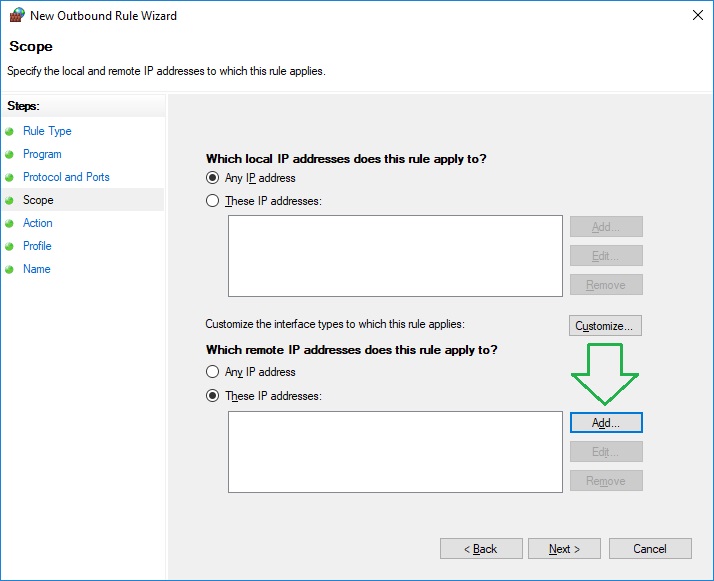
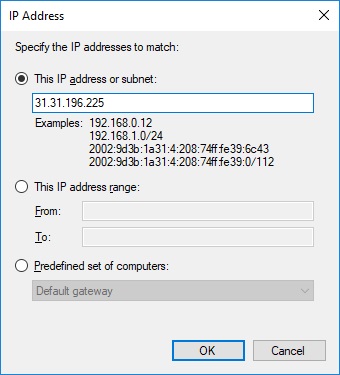
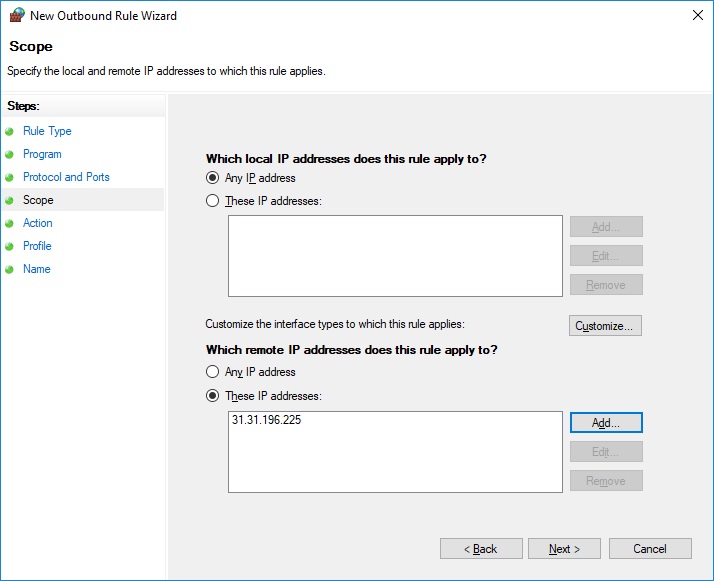
We choose which internal and external IPs we want to block. Press. Add..
www.aredel.com
And enter addresses by one or range.
In this example, we decided for some reason.
block 31.31.196.225
To find out the IP of the site that you need to block
WIN + R → cmd → ping
IP can be of two types:
11.22.33.222 IPv4
and
2001:1bd8:101:ee81:3c82:641b:3748:42ff IPv6
- a newer format.
www.aredel.com
We make sure that our address is displayed and clicked Next.
www.aredel.com
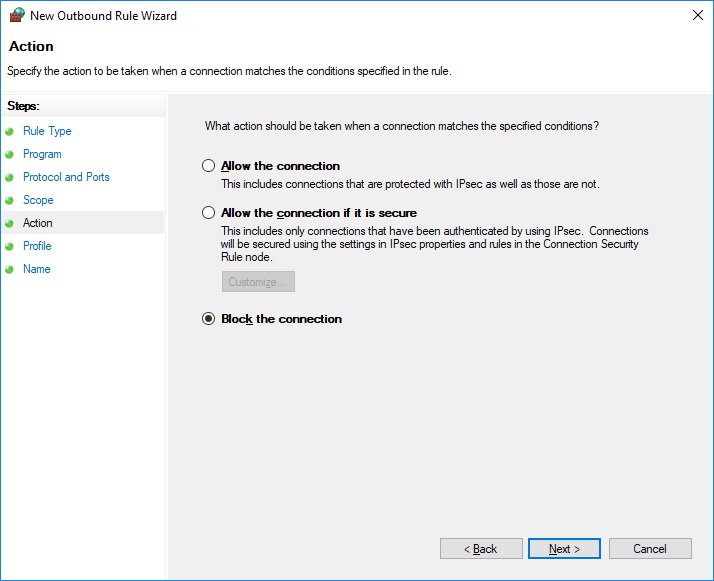
We choose what we want to do with the IP address we selected.
In our case, this is Block
www.aredel.com
Next
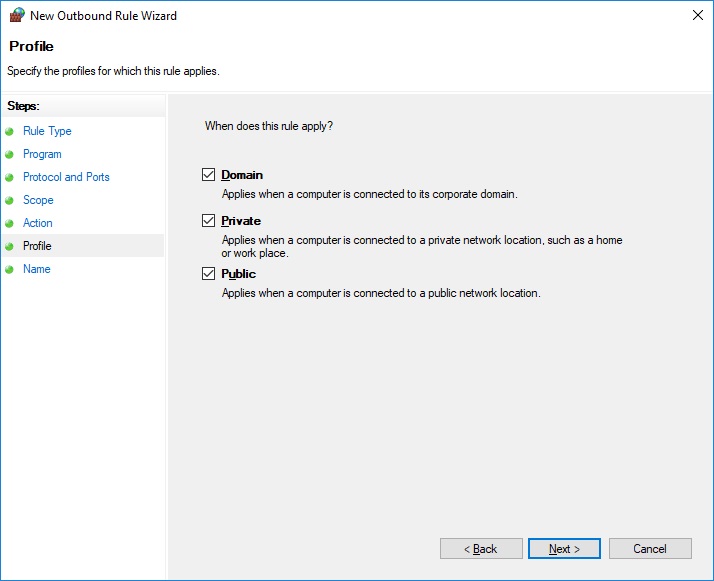
www.aredel.com
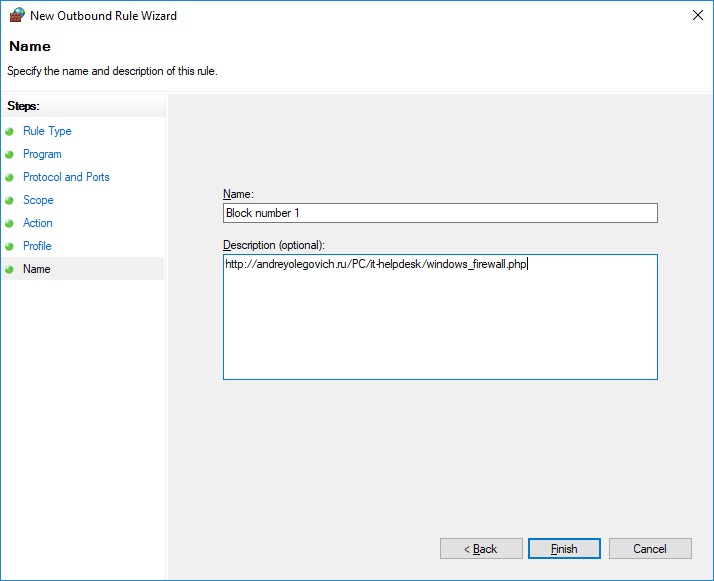
We're coming up with a name for our rule.
www.aredel.com
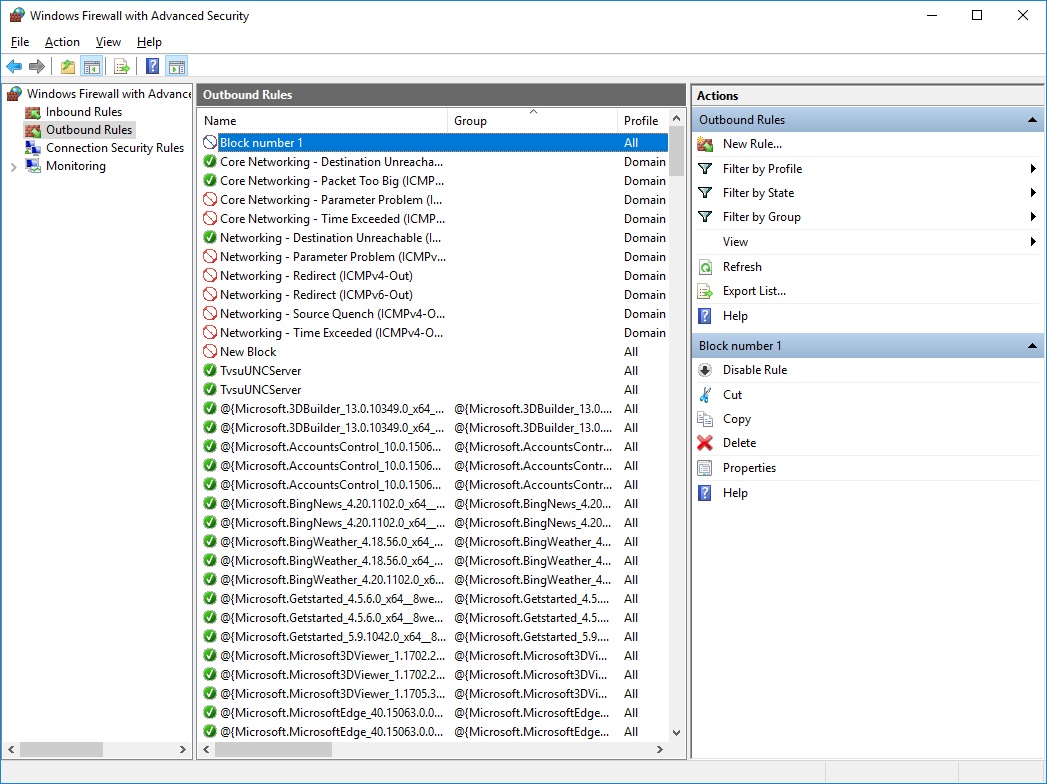
We are convinced that the rule appeared on the outgoing list.
www.aredel.com
FAQ:
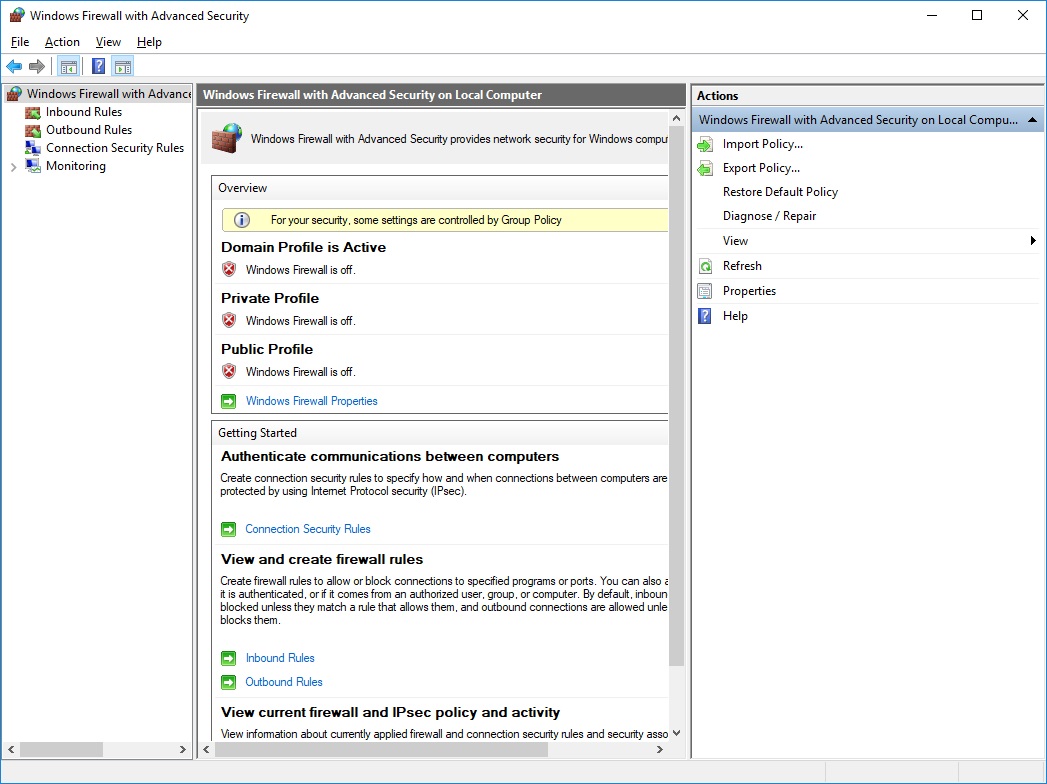
If the rule doesn’t work, check if the firewall is on.
In the case on the right, there are two problems at once: the Firewall is not only turned off, so
It is also controlled centrally by the sysadmin.
www.aredel.com
Remember, Firewall applies rules to new connections if you're already somewhere. Once connected, the rule will not break the existing connection.

How to check if the site is blocked
Try going in there.
Open the port in Windows Firewall
Search for Firewall and select Windows Defender Firewall. Create a new Inbound rule.
In different versions of Windows, the path may vary. On how to open the port through
PowerShell
read
here
Control Panel → System & Security → Windows Defender Firewall → Advanced Settings → Inbound Rules → New Rule
Or
Control Panel → System & Security → Windows Firewall → Inbound Rules → New Rule

www.aredel.com
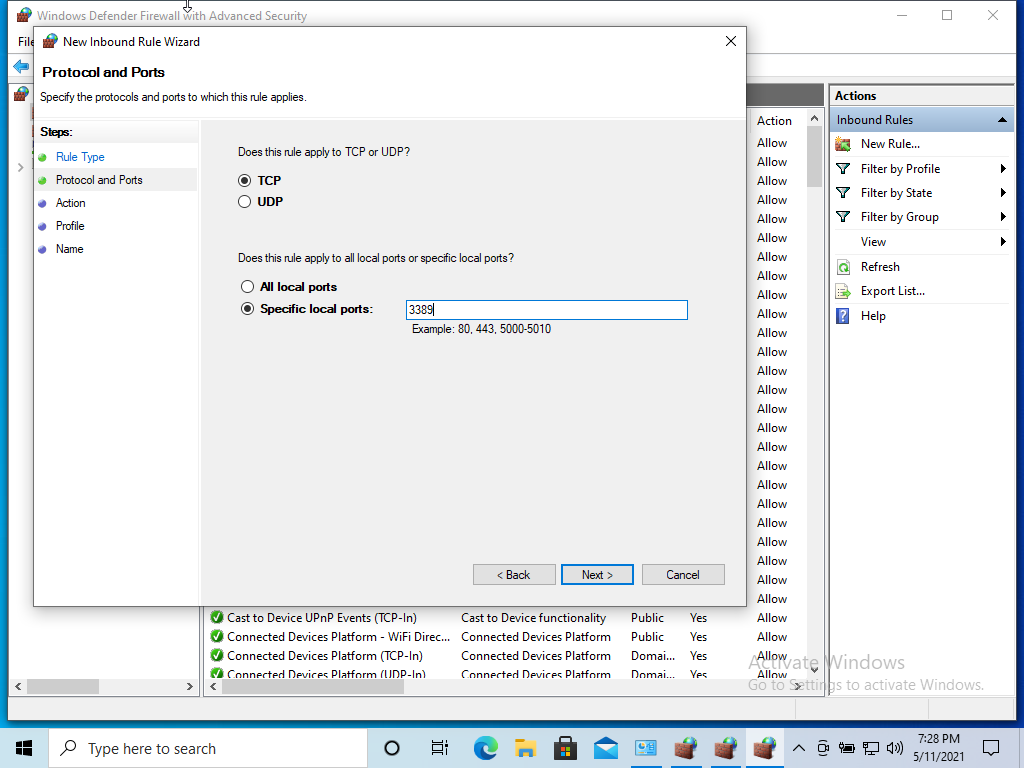
Port

www.aredel.com
Specific Local Port – This example opens port 3389, a standard port for RDP.
www.aredel.com
Allow the connection
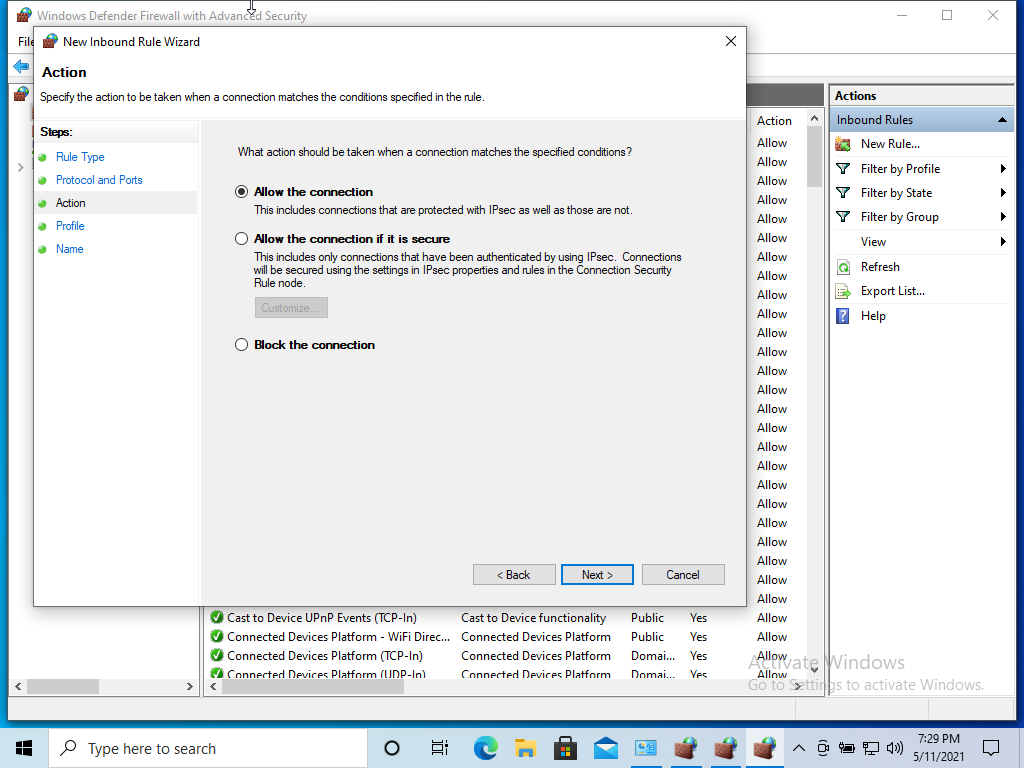
www.aredel.com
Next
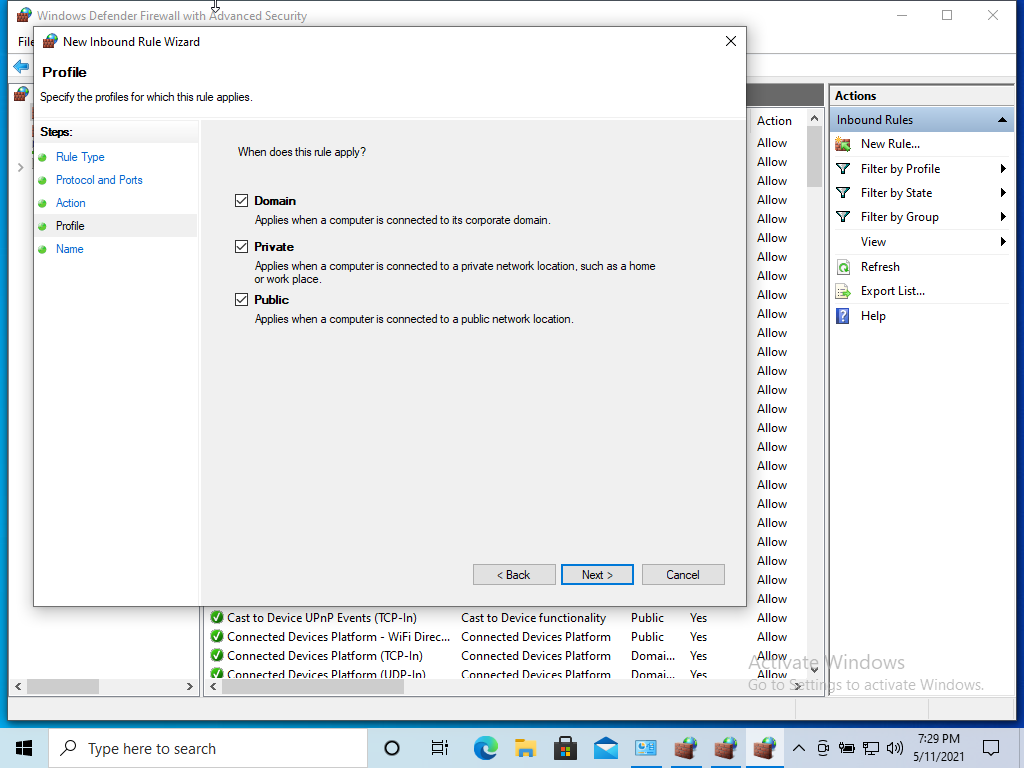
www.aredel.com
Allow ping
Control Panel → System & Security → Windows Defender Firewall → Advanced Settings → Inbound Rules
Or
Control Panel → System & Security → Windows Firewall → Inbound Rules
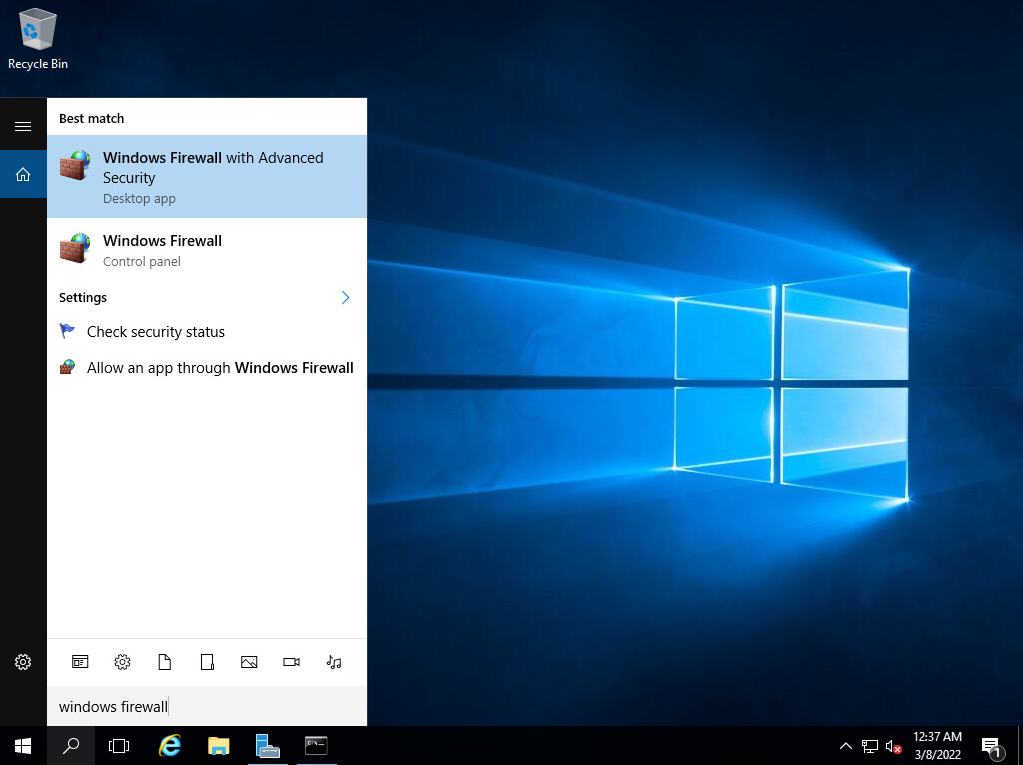
www.aredel.com
Choose. File and Printer Sharing (Echo Request - ICMPv4-In) and press Enable Rule

www.aredel.com
The result
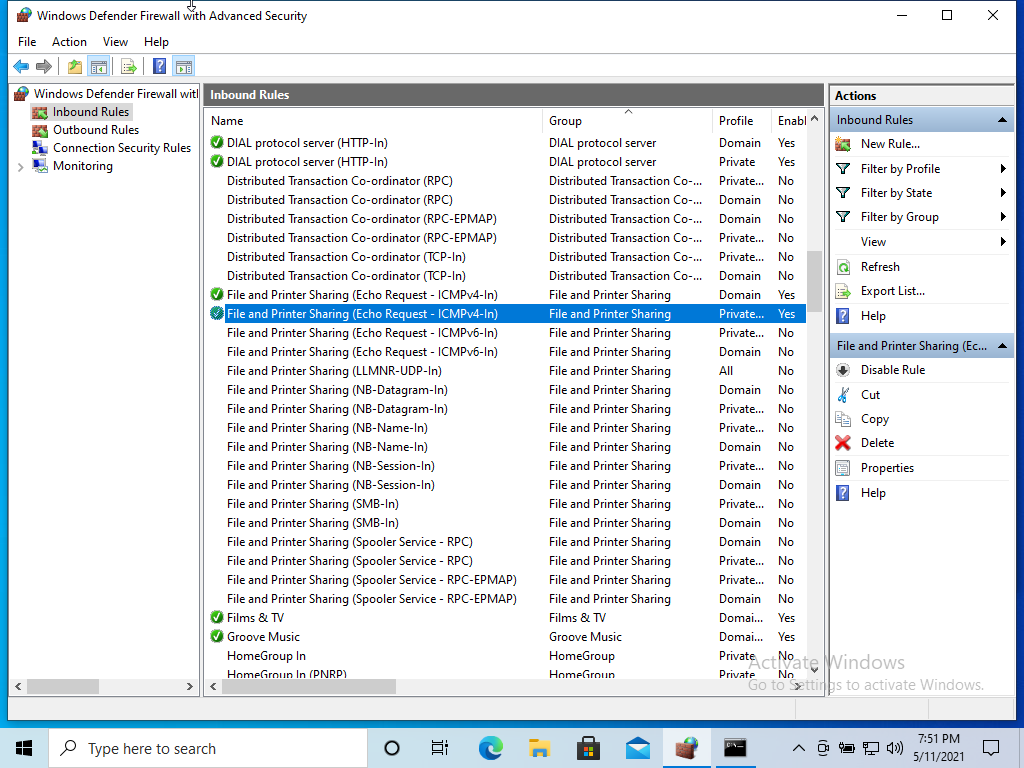
www.aredel.com
Article author: Andrei Olegovich
| Windows | |
| Network in PowerShell | |
| Windows Firewall | |
| SSH | |
| Telnet | |
| pstools | |
| RDP | |
| SSH tunnel for RDP | |
| NET USE |