BSOD in Windows

Contents
Introduction
Example
Similar articles

Introduction

Example

Control panel
Control Panel
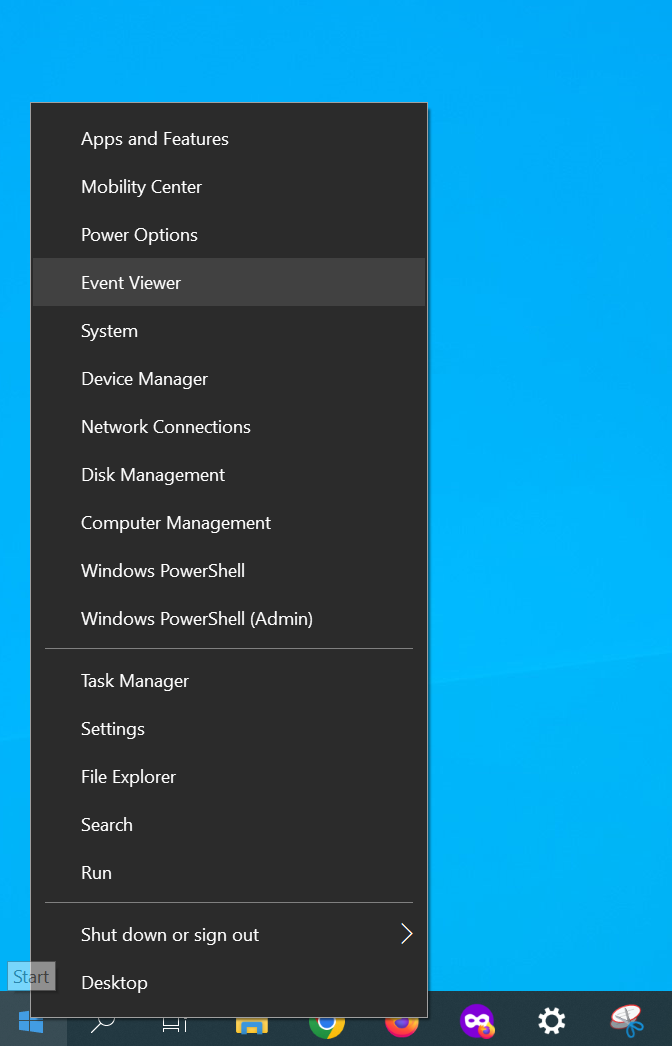
Studying BSOD Logs in Windows 10 Image from www.aredel.com

BSOD logs via Event Viewer Windows 10
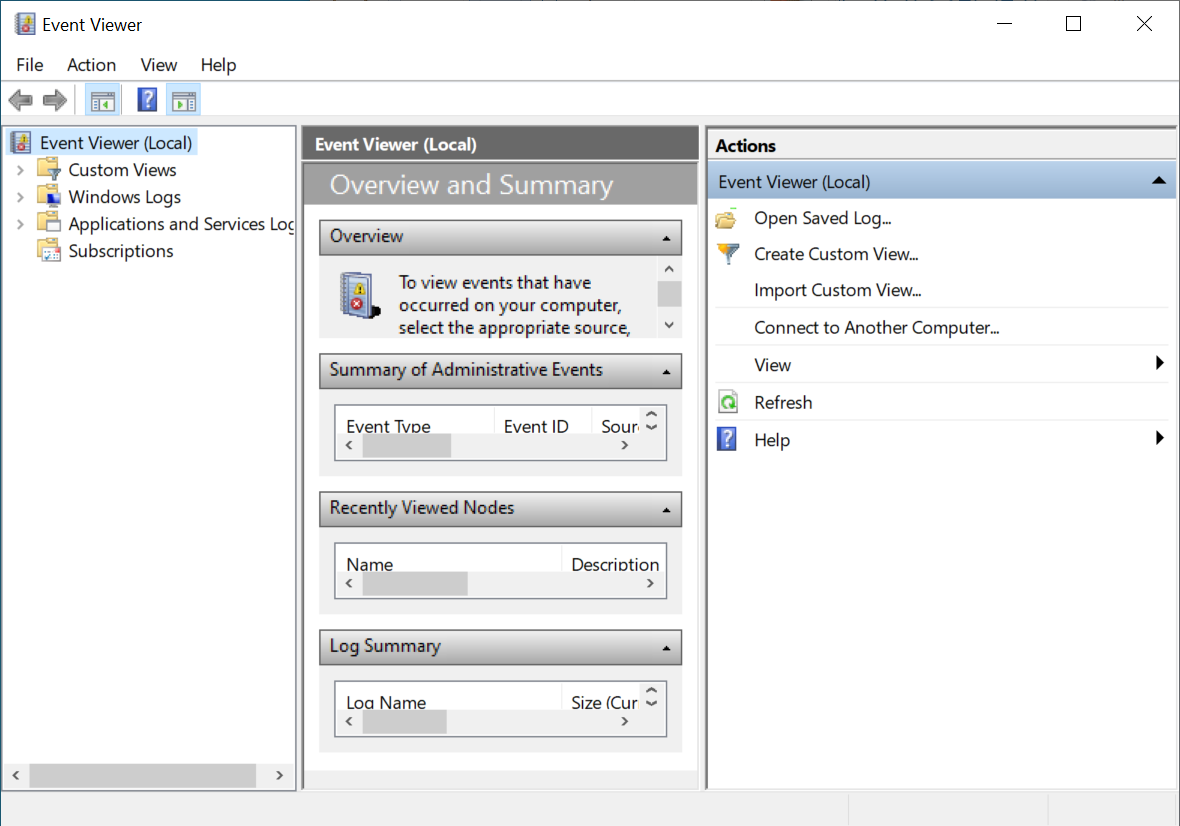
Studying BSOD Logs in Windows 10 Image from www.aredel.com

BSOD logs via Event Viewer Windows 10

Studying BSOD Logs in Windows 10 Image from www.aredel.com

BSOD logs via Event Viewer Windows 10
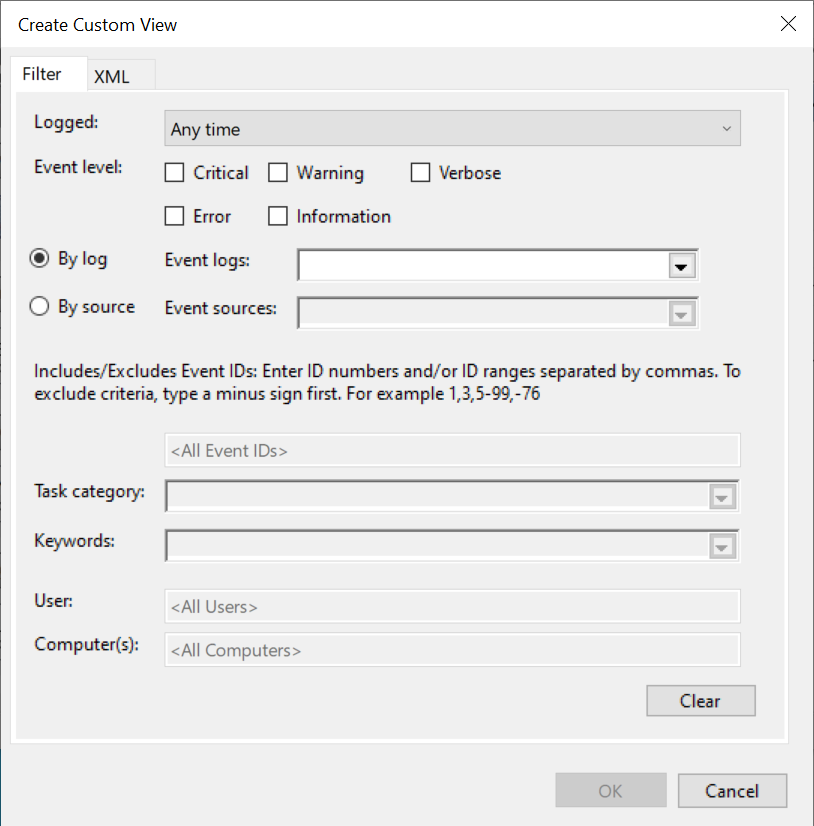
Studying BSOD Logs in Windows 10 Image from www.aredel.com

BSOD logs via Event Viewer Windows 10
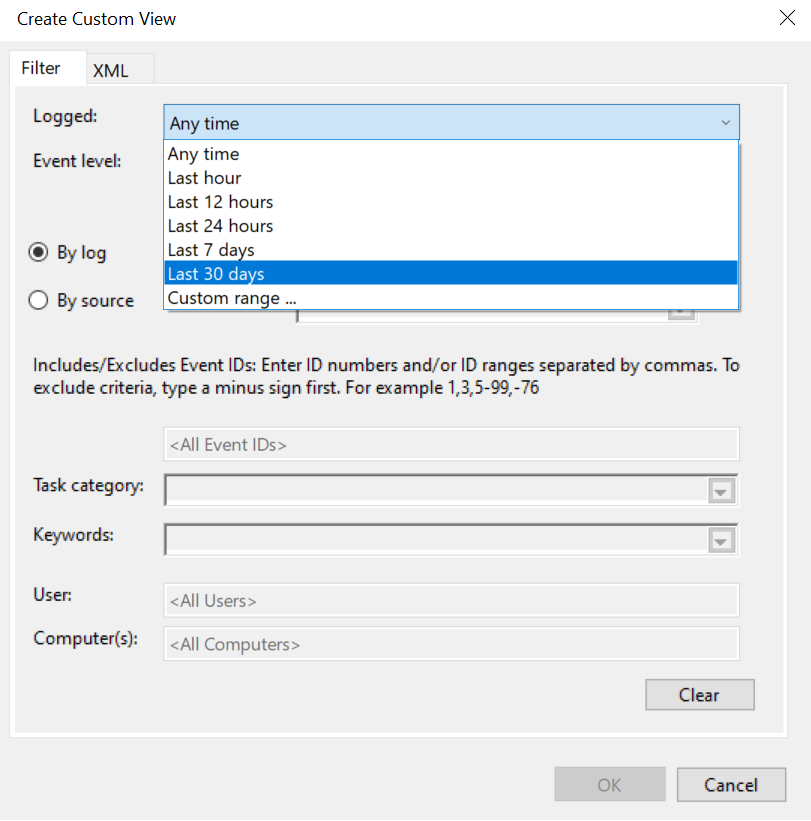
Studying BSOD Logs in Windows 10 Image from www.aredel.com

BSOD logs via Event Viewer Windows 10

Studying BSOD Logs in Windows 10 Image from www.aredel.com

BSOD logs via Event Viewer Windows 10
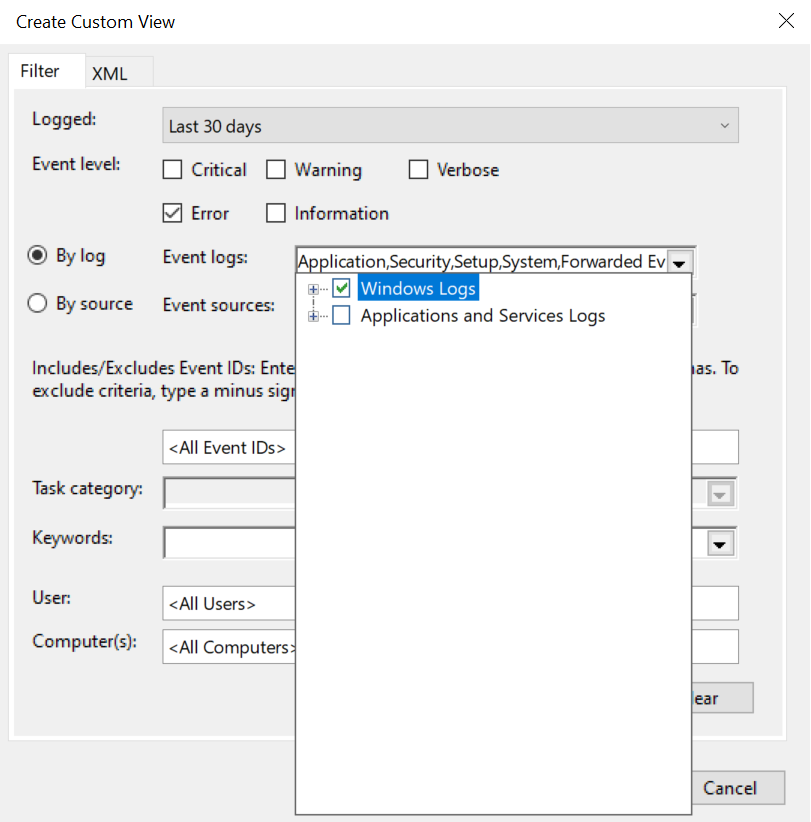
Studying BSOD Logs in Windows 10 Image from www.aredel.com

BSOD logs via Event Viewer Windows 10
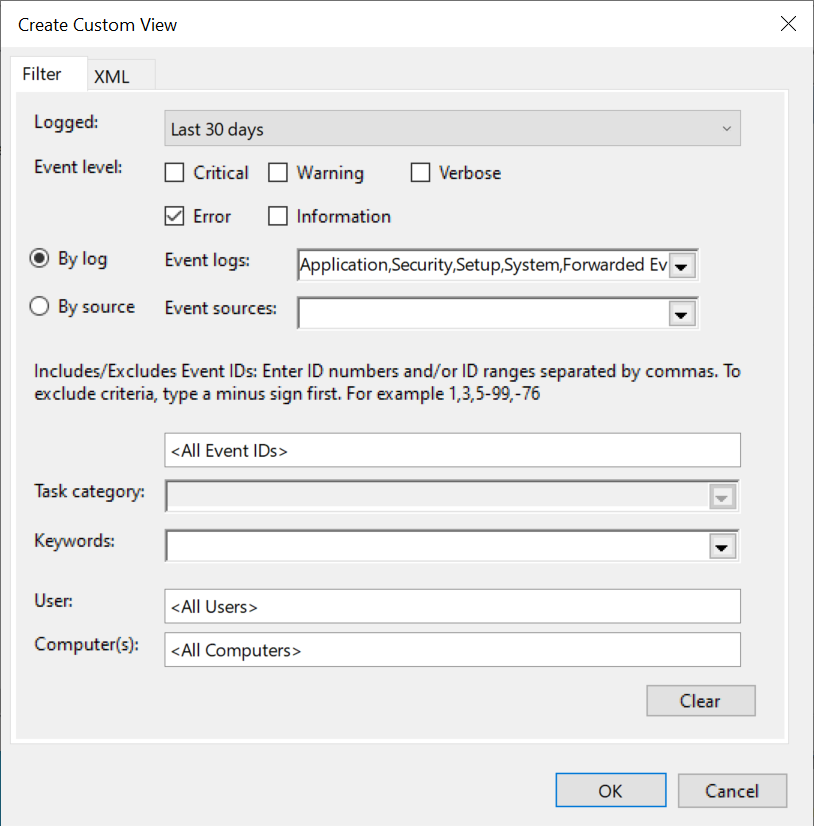
Studying BSOD Logs in Windows 10 Image from www.aredel.com

BSOD logs via Event Viewer Windows 10

Studying BSOD Logs in Windows 10 Image from www.aredel.com

BSOD logs via Event Viewer Windows 10

Banner image

Studying BSOD Logs in Windows 10 Image from www.aredel.com

BSOD logs via Event Viewer Windows 10
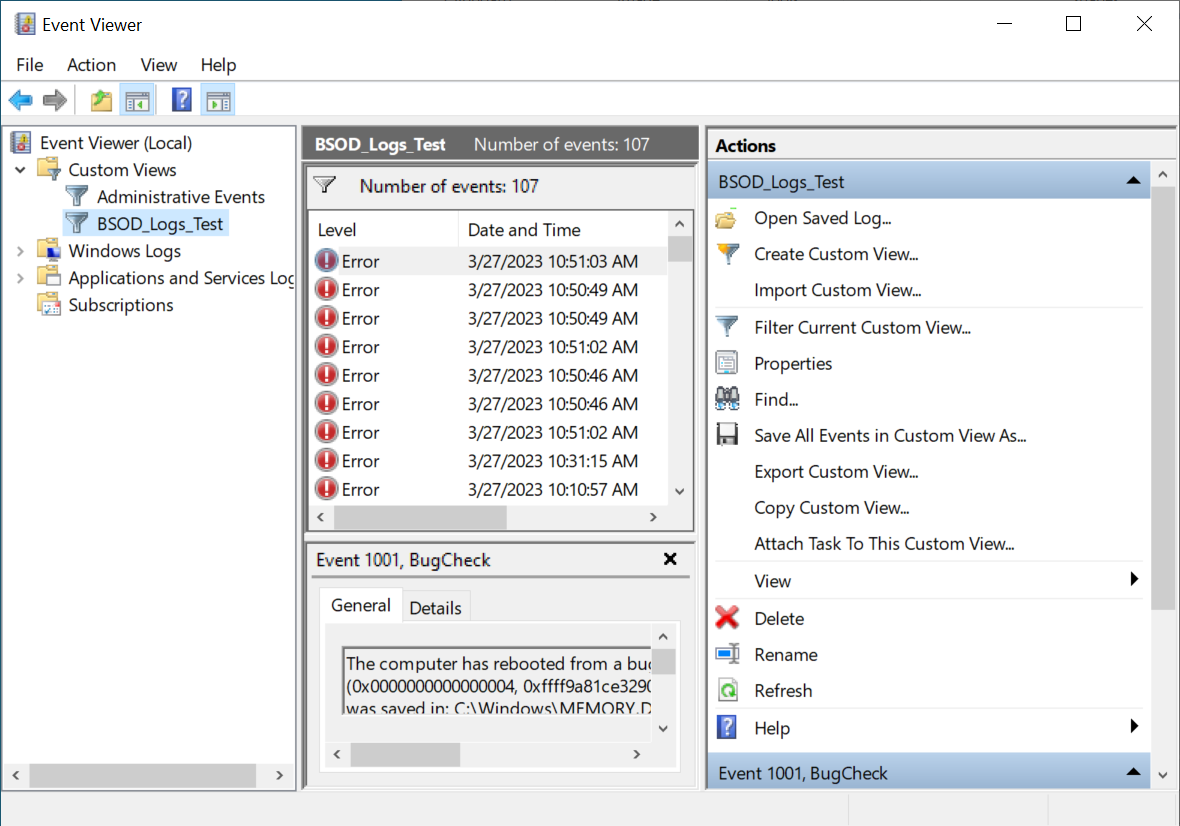
Studying BSOD Logs in Windows 10 Image from www.aredel.com

BSOD logs via Event Viewer Windows 10

Article author: Andrei Olegovich

Related articles
Windows
PowerShell
Windows Firewall
Drivers in Windows
Developer mode in Windows 10
BASH in Windows 10
PATH system variable
Installing Windows on a GPT disk
batch file
pstools
Remote desktop
Telnet in Linux
Banner image

Search this site

Subscribe to Telegram channel @aofeed to follow new articles and updates to old ones

Go to channel

@aofeed

Ask a question in the Telegram group

@aofeedchat

Contacts and cooperation:
I recommend our hosting beget.com
Write to info@aredel.com if you:
1. Want to write an article for our site or translate an article into your native language.
2. Want to place thematically relevant ads on the site.
3. Ads on my site pass maximum censorship. If you see an ad block unsuitable for school-age children, shocking or misleading - please contact us by e-mail
4. Found a mistake, inaccuracy, bug, etc. on the site. ... .......
5. Articles can be shared on social media by clicking a network icon: